
Incident Report Submission Options
Employees can submit an Incident Report using either of the following methods.
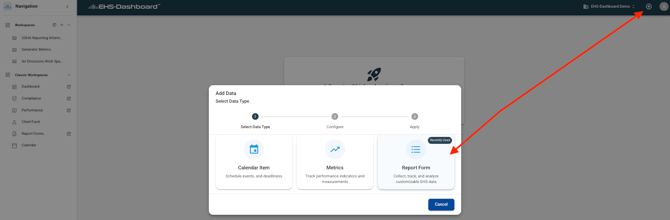
Option 1: Submit Using the + Icon
Log into the EHS-Dashboard
Click the + icon in the upper right corner
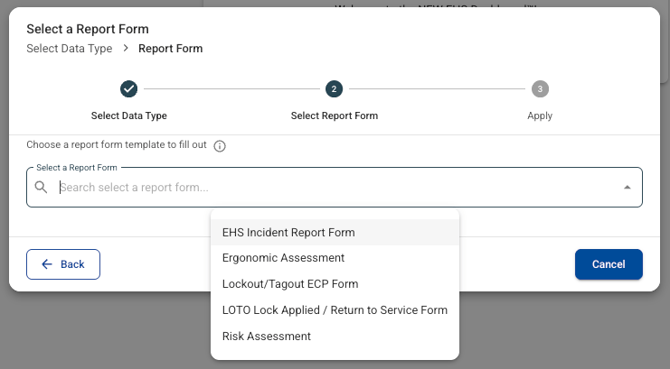
Select Report Form
Select the Incident Report Form from the list
Option 2: Submit Using a Public Link or QR Code
Employees may also access the Incident Report Form using a public shareable link. This link can be posted on an intranet page, shared by email, or converted into a QR code that can be printed and posted around the facility.
To submit using this method:
Click the public link or scan the QR code
The Incident Report Form opens automatically
Note: For step-by-step instructions on creating public links and generating QR codes, refer to the QR Code Generation Help Guide:
https://48766036.hs-sites.com/en-us/ehs-dashboard-knowledge-base/creating-qr-codes
Completing the Incident Report
Regardless of how the form is accessed, employees should complete all required fields in the Incident Report Form.
This may include:
Incident date and time
Location
Description of what occurred
Immediate actions taken
Photos and supporting information should be added when available to help document conditions and support investigation and follow-up actions.
Submitting the Incident Report
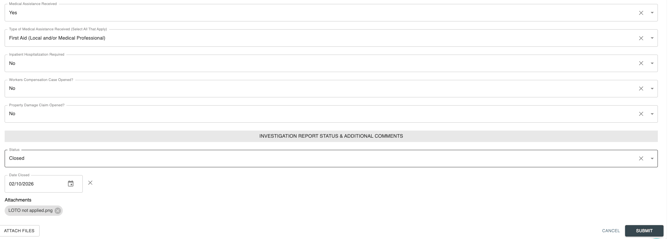
After completing the form, click Submit to submit the Incident Report.
Once submitted:
The incident is logged in the system
Email notifications are sent automatically based on form configuration
The record is available for review, investigation, and trending
If the incident indicates corrective action is required, a CAPA will be generated automatically if triggers were configured as outlined in Guide 1.

Outcome
Using form submissions, public links, and QR codes ensures incidents and near misses are captured quickly, documented consistently, and visible to leadership in real time for follow-up and corrective action.