
OPTION 1: Directly Input Monthly Totals for Employee count, OSHA reportable incidents, Lost time incidents, Number of lost workdays
- When to use this option: Use this configuration if you do not use incident/event reporting forms in the EHS-Dashboard™.
1. Navigate to the Admin menu by clicking on the company name in the upper right hand corner

2. From the Admin menu, under "Manage Data Sources" click "Safety Metrics"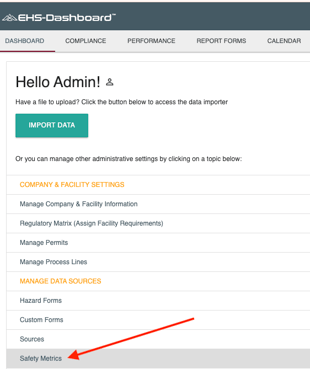
Note: This page may take a few moments to load. Thanks for your patience.
3. In section "1. Event Tracking Method", select the radio button for the option: "Log total number of OSHA Recordable Events, Number of Time Lost Injuries, and Lost Workdays"

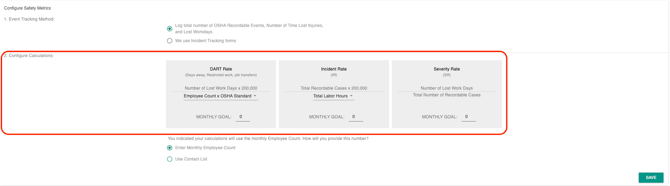
4. In section "2. Configure Calculations", use the select menu in the box to identify the source of total labor hours to complete the calculation for Total Case Rate and DART Rate.
- 1. Employee Count x OSHA Standard (163.3)
- 2. Employee Count x Custom Factor (you provide this factor)
- 3. Total Labor Hours (input total labor hours each month)
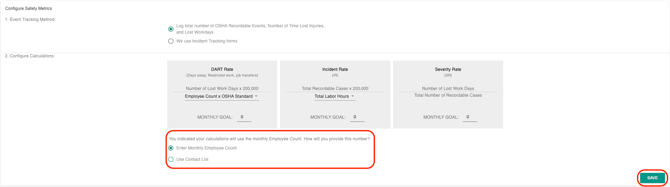
5. In section "2. Configure Calculations", select the radio button for the option: "Enter Monthly Employee Count", then click "Save"
Now you're ready to add data! Read "How to Manually enter Safety Metric data into the EHS-Dashboard™ when not using EHS-Dashboard Incident Report Forms"