
1. Click on the company icon in the top right corner of the page: :

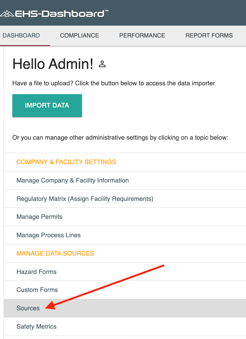
2. From the Admin menu, click "Sources" located under the "Manage Data Sources" section:
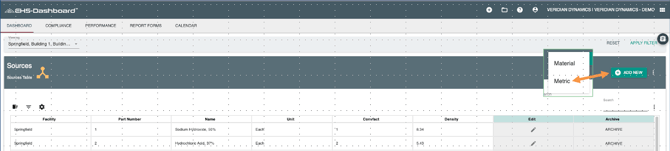
3. To Create a New Numerical Metric click "Add New" and selecting "Metric":
4. Fill out the form to create a New Metric:
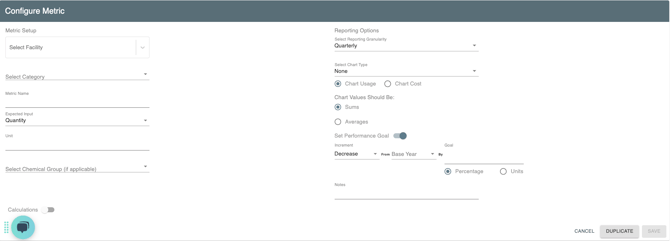
- Select a Facility
- Select a Category from the Drop Down menu
- Assign a Metric Name
- Determine if this is a Quantity input or a Meter Reading
- Input the Unit the Metric will be tracked in
- Select a chemical group if applicable.
- Click "Save"